Spades For Seniors: Card Game
- 4.5
- Rating
- 100.00K
- Installs
- Free
- Price

 Analysis by App-foxy
I enjoy card games most when they are easy to start, comfortable to read, and calm enough to play without turning a short break into a complicated project. Spades For Seniors: Card Game is built around that idea. It is a free card game from WildCard Games, aimed at people who want a straightforward Spades experience rather than a crowded collection of unrelated modes.
After spending time with it, my impression is that its biggest strength is focus. The game presents itself as a familiar Spades option with an audience in mind: players who value clear interaction and an unhurried rhythm. That makes it appealing for a quiet afternoon, a few hands before bed, or a simple way to keep a senior family member entertained on a phone or tablet.
The game is listed for Everyone, so it is suitable for a broad audience. It runs on Android devices using version 8.0 or later, and its current version is 1.24.1. It was released on May 9, 2024, and has already passed one hundred thousand installs, with an average rating of 4.5 from around four and a half thousand ratings. Those figures suggest that the concept is reaching the right audience, although popularity alone does not guarantee that every player will enjoy its particular pace or presentation.
You May Also Like

 Blood Strike: 2.5 Anniversary
Blood Strike’s Loadouts Turn Every Drop Into a Tactical Gamble
A close look at Blood Strike’s custom loadouts: how fast access to signature weapons reshapes its battle royale rhythm, rewards preparation, and narrows the gap between fights.

 Pandora - Music & Podcasts
Pandora’s Music Is Easy to Start, but Harder to Recover
Pandora’s strength is its low-effort path from a seed to a station. Its weak spot is how much confidence it asks you to place in connection, setup, and quiet recovery.

 8 Ball Pool
 Is Built on Rivalries, Rematches, and Routine
A close look at the rivalries, rematches, shared routines, and unanswered safety questions that turn a quick pool match into a persistent mobile community.

 Samsung Music
’s Quiet Strength Is Playing What You Already Own
Its reach comes less from spectacle than from dependable access to a personal library. That simplicity is both the app’s strongest retention engine and its ceiling.

 AccuWeather: Weather Radar
AccuWeather Review: A Quick, Clear Forecast for Everyday Decisions
For everyday plans, the best forecast is the one you can understand quickly. AccuWeather makes rain timing, radar, and local conditions easy to act on, with a few trade-offs.

 Hill Climb Racing
Why Hill Climb Racing Still Turns Crashes Into One More Run
A tiny car, a bumpy hill and one more upgrade: Hill Climb Racing keeps resurfacing because its simple chaos makes every near-miss feel personal.
More From Our News Desk
View All News


How the game feels during a normal session
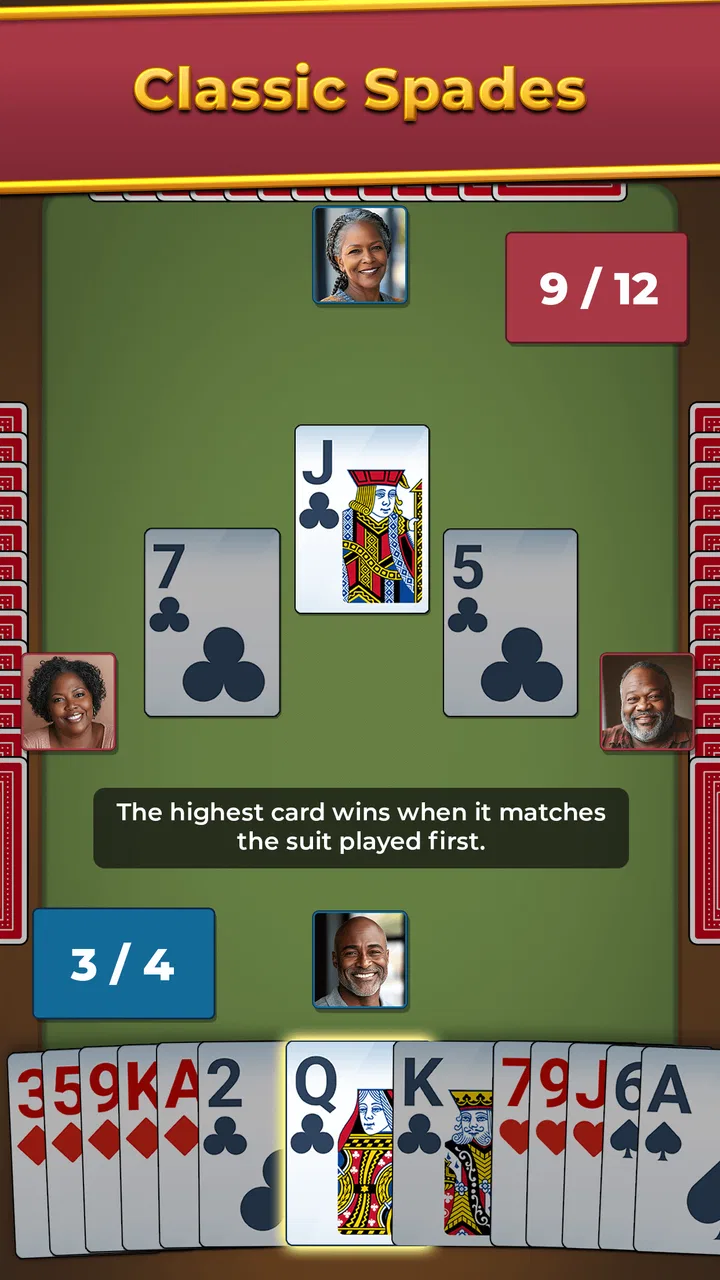
The first thing I notice with a dedicated card game is how quickly I can get from opening it to actually playing. Spades For Seniors: Card Game benefits from not asking me to learn a complicated system before I can enjoy a hand. The central activity is recognizable, and that familiarity matters: anyone who already understands trick-taking can concentrate on choosing cards instead of decoding menus.
Its perceived speed is best understood as relaxed rather than frantic. That is a good match for the stated senior-friendly direction. I would not choose this game when I want rapid-fire action or constant visual stimulation. I would choose it when I want enough time to inspect my hand, think about the likely tricks, and make a decision without feeling pushed.
That slower feeling also changes how I judge the game. A brief pause between actions is less irritating in a thoughtful card game than it would be in an arcade title, but a player who expects instant transitions may still find the experience less energetic than competitive online alternatives. The important distinction is that the game’s appeal is not about spectacle. It is about making a traditional card session approachable.
For an everyday example, I can imagine using it during a waiting-room visit or while relaxing with coffee. I can play a few hands, put the device down, and return later without needing to remember a complicated story or rebuild a long strategy. That makes it more practical than many larger games for casual use, especially on a device shared with a parent or grandparent.
Reading the table and making better decisions
One useful habit is to treat every hand as a small planning exercise rather than simply playing the strongest card available. I look at the suits, consider how many tricks I might realistically win, and avoid spending a valuable card too early just because it is tempting. In a senior-focused presentation, this kind of deliberate play is more important than speed, because the point is to make the cards easy to follow.
I also recommend playing in a consistent environment at first. A larger tablet screen can make the hand easier to inspect than a small phone, particularly for someone with tired eyes or less confidence using touch controls. On a phone, holding the device steady and keeping the screen free of glare makes a noticeable difference to comfort, even though those are simple practical details rather than game mechanics.
A less obvious advantage of a focused Spades app is that it can work as a gentle bridge for relatives who are not interested in modern games. Instead of handing someone a complicated strategy title, I can explain the familiar card objective and let the player learn through repetition. That makes it useful for shared family time, even when only one person is actively playing.
What happens when I play for longer
Short sessions are where this game makes the most convincing case for itself. A few hands can fill a spare moment without demanding a major commitment. Longer sessions are more dependent on how much variety and challenge the individual player expects from a classic card game. If I enjoy the basic rhythm of Spades, repeating that loop can be relaxing. If I need frequent surprises, changing opponents, or a wide range of modes, the focused design may feel narrow.
Heavy use also means paying attention to comfort rather than only technical performance. A card game may not push a modern phone as hard as a three-dimensional action game, but long play can still become tiring if the cards are small, the contrast is difficult to read, or the player has to make repeated taps with little feedback. For older users, a session should be judged by how easy it is to continue, not merely by whether the application opens.
My practical tip is to use short rounds as a test. I would not decide after one quick launch. I would play long enough to check whether the card layout remains comfortable, whether the controls still feel clear after several hands, and whether the pace suits the player. This is especially important if the intended user is a family member who may not complain immediately when an interface is tiring.
Another trade-off appears when the game is used as a background activity. It is suitable for quiet concentration, but it is not necessarily the best choice if I want to multitask constantly. Looking away from a trick-taking hand can make me lose track of the situation. The game rewards attention in small bursts, so I prefer it to music or passive video when I want something interactive, but not when I need to keep my eyes elsewhere.
Reliability and returning to a game
Reliability is not only about avoiding crashes. For a card game, I also care about whether the experience feels dependable when I open it for a quick session, whether the interface remains understandable after time away, and whether I can recover comfortably from an interruption. Spades For Seniors: Card Game has the right kind of simple premise for this. There is no large fictional world to reconstruct and no complicated control scheme to relearn.
That simplicity helps when a phone call, message, or household task interrupts play. I can return to a familiar card table more easily than I could return to a complex mission with many objectives. Still, I would avoid assuming that every interruption will be handled identically on every device. Android phones manage background applications differently depending on their age, available memory, and system settings, so I would treat recovery as something to experience on the intended device rather than promise universally.
The current version, 1.24.1, is a useful sign that the game has continued to receive updates since its release. I see that as encouraging for maintenance, but I would not treat a version number as proof that every possible device issue has been solved. Older hardware, aggressive battery management, or a nearly full phone can affect any application.
When I evaluate a game like this for someone else, I use a simple recovery check. I start a hand, leave the application briefly, return, and see whether the situation is still easy to understand. I also restart the app later and check whether the opening flow remains clear. This is a more meaningful test for a casual card game than chasing technical benchmarks that the store information does not establish.
Device limits and the best way to use it
The minimum requirement of Android 8.0 or later gives the game access to a wide range of devices, including hardware that is no longer new. That is helpful for seniors who may be using an older phone rather than a recent flagship. It also makes the game a sensible candidate for a spare tablet kept in a living room or guest room.
At the same time, meeting the operating-system requirement does not guarantee the same comfort on every screen. A small, low-resolution phone may be technically compatible while still being less pleasant for a player who needs larger visual targets. My preference would be a tablet or a phone with a generous display, particularly when the game is being recommended to someone with limited dexterity or eyesight.
Resource demands are another area where I stay cautious. This is a card game rather than a graphics-heavy action title, so I would expect its ordinary use to be less demanding than a large 3D game, but the available facts do not justify claiming exact memory use, battery drain, loading times, or storage size. In real use, the most sensible approach is to install it on the device that will actually be used and judge whether opening, playing, and returning from interruptions feel comfortable.
Keeping the phone reasonably tidy can help. Closing an application that has become unresponsive, restarting an older device occasionally, and leaving some free storage are ordinary maintenance steps that improve the general experience of many apps. They are not special requirements of this game, but they matter more when the intended player wants a dependable, low-stress activity.
There is also a social device choice to consider. If I am setting this up for a parent or grandparent, I would choose the device they already understand instead of moving the game to a technically better phone they rarely use. Familiar charging habits, a known unlock method, and a comfortable screen often matter more than raw specifications. The best setup is the one that removes hesitation before the first hand.
Who should choose this card game?
I think it is a strong fit for players who already like Spades, want a dedicated card experience, and prefer a calm pace over competitive intensity. It is particularly appealing for seniors or for relatives looking for an approachable game to install on an older Android device. Because it is free, trying it does not require a purchase decision, which makes it easier to test with a family member.
It can also suit someone returning to card games after a long break. The familiar rules provide a natural starting point, while the focused format avoids the distraction of a large entertainment hub. I would recommend it to a person who wants something more active than watching television but less demanding than a strategy game with extensive progression.
I would skip it if my main goal were online competition, social interaction, or a broad collection of card variants. A specialized Spades game is not automatically a replacement for a general card-game app. Someone who wants solitaire, hearts, freecell, tournaments, or multiplayer rooms may be better served by an alternative built around variety rather than one recognizable game.
I would also hesitate to recommend it to a player who dislikes deliberate pacing. Some people enjoy card games precisely because they can move quickly through familiar decisions. For them, a faster alternative may feel more satisfying. Likewise, anyone expecting advanced statistics, elaborate customization, or a deep progression system should examine those priorities carefully before settling on a senior-oriented Spades title.
How it compares with common alternatives
Compared with a broad card-game collection, this game has the advantage of concentration. I do not have to browse through several unrelated modes when I already know that I want Spades. That can be less intimidating for a new or older player. The trade-off is obvious: a collection offers more ways to stay interested when one game starts to feel repetitive.
Compared with a fast competitive Spades app, this one is better suited to patient play and accessibility-minded use. A competitive option may offer a stronger sense of urgency or a more active community, but that can also make it less comfortable for someone who wants to think carefully. I would choose the alternative for rivalry and the senior-focused game for a quieter routine.
Compared with playing physical cards, the app removes the need for a second player, a deck, and a clear table. That is convenient when I am alone or when handling small cards is difficult. Physical play still wins for conversation and family presence, though. If the real goal is to spend time together around a table, an app cannot fully replace the social value of dealing cards face to face.
My performance verdict
Spades For Seniors: Card Game succeeds when I judge it by the experience it appears designed to provide: a focused, familiar, and approachable way to play Spades on Android. Its free price, Everyone age rating, broad Android compatibility, and growing audience make it easy to consider, while the 4.5 average rating from around four and a half thousand ratings gives it a reassuring first impression.
My strongest recommendation is for a senior player or a casual card fan who values clarity more than novelty. I would install it on a comfortable screen, test several hands rather than judging the opening minute, and pay attention to how easily the player can read the cards and resume after an interruption. Those practical checks reveal more than a generic promise of classic gameplay.
The limitations are equally clear. This is not the obvious choice for someone seeking a large multiplayer community, constant variety, or high-speed competition. The focused format may become repetitive for players who need many modes, and device comfort can vary even when the operating system meets the requirement. Those are not reasons to dismiss it; they simply define the audience more accurately.
Overall, I see it as a sensible, low-pressure card game rather than an ambitious all-purpose gaming platform. If you want a familiar Spades session that feels approachable on an everyday Android device, this is worth trying. I would recommend it to a friend who wants quiet entertainment, especially an older player who prefers a straightforward card table to a busy modern game.
FAQs for Spades For Seniors: Card Game
01What is Spades For Seniors: Card Game?
Spades For Seniors: Card Game is a mobile app designed specifically for seniors who enjoy playing card games. It offers a user-friendly interface with large cards and easy-to-read text, making it accessible for users with visual impairments. The game provides both single-player and multiplayer options, allowing users to enjoy a classic game of Spades at their own pace.
02Is Spades For Seniors: Card Game user-friendly for seniors?
Yes, the app is designed with seniors in mind. It features a simple and intuitive interface with large icons and buttons, making navigation easy. Additionally, it includes helpful tutorials and hints to guide users through gameplay, ensuring an enjoyable and stress-free experience for all skill levels.
03Are there different difficulty levels in Spades For Seniors?
Absolutely. Spades For Seniors offers multiple difficulty levels to accommodate varying skill levels. Players can choose from easy, medium, or hard modes, allowing them to tailor the challenge to their preference. This feature makes the game suitable for both beginners and experienced players.
04Does Spades For Seniors: Card Game require an internet connection?
No, the game does not require an internet connection to play. Users can enjoy the single-player mode offline, making it perfect for those who wish to play on the go or in areas with limited connectivity. However, an internet connection is needed for multiplayer mode to connect with other players.
05Are there in-app purchases in Spades For Seniors: Card Game?
Yes, while the app is free to download, it does offer in-app purchases. These may include options to remove ads, purchase additional card designs, or unlock special features. However, these purchases are optional, and the core game can be fully enjoyed without spending any money.
Pros
- Simple interface for easy navigation.
- Customizable settings for personal preferences.
- Includes tutorials for beginners.
- Supports offline play mode.
- Engaging graphics and sound effects.
Cons
- Limited multiplayer options.
- Ads can be intrusive at times.
- Occasional lag in gameplay.
- Requires frequent updates.
- No chat feature in multiplayer mode.

Spades For Seniors: Card Game
Gallery